AB Sciex is doing business as SCIEX. © 2010-2018 AB Sciex. The trademarks mentioned herein are the property of the AB Sciex Pte. Ltd. or their respective owners. AB SCIEX™ is being used under license. Beckman Coulter® is being used under license. Product(s) may not be available in all countries. For information on availability, please contact your local representative. For research use only. Not for use in diagnostic procedures.
Two Liquid Chromatography Systems are Better than One
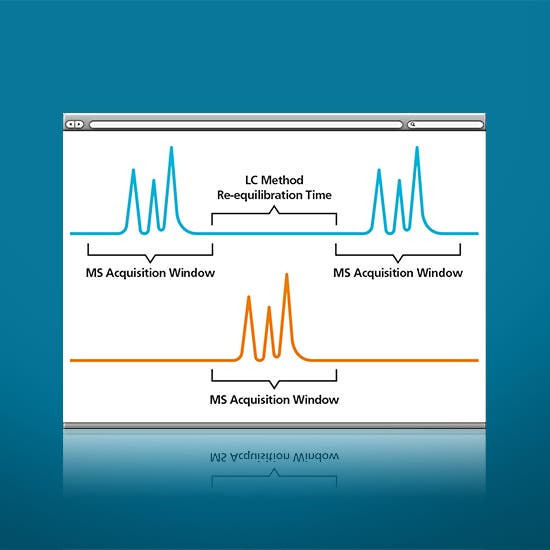
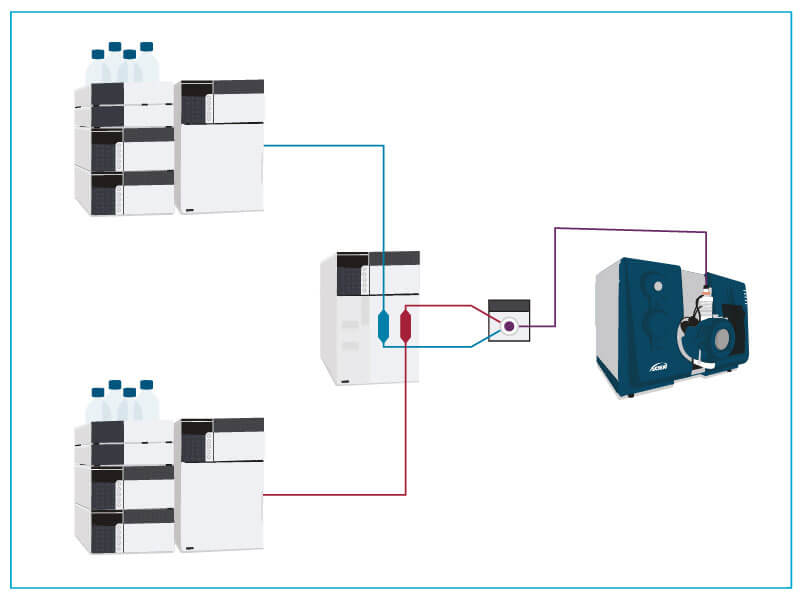
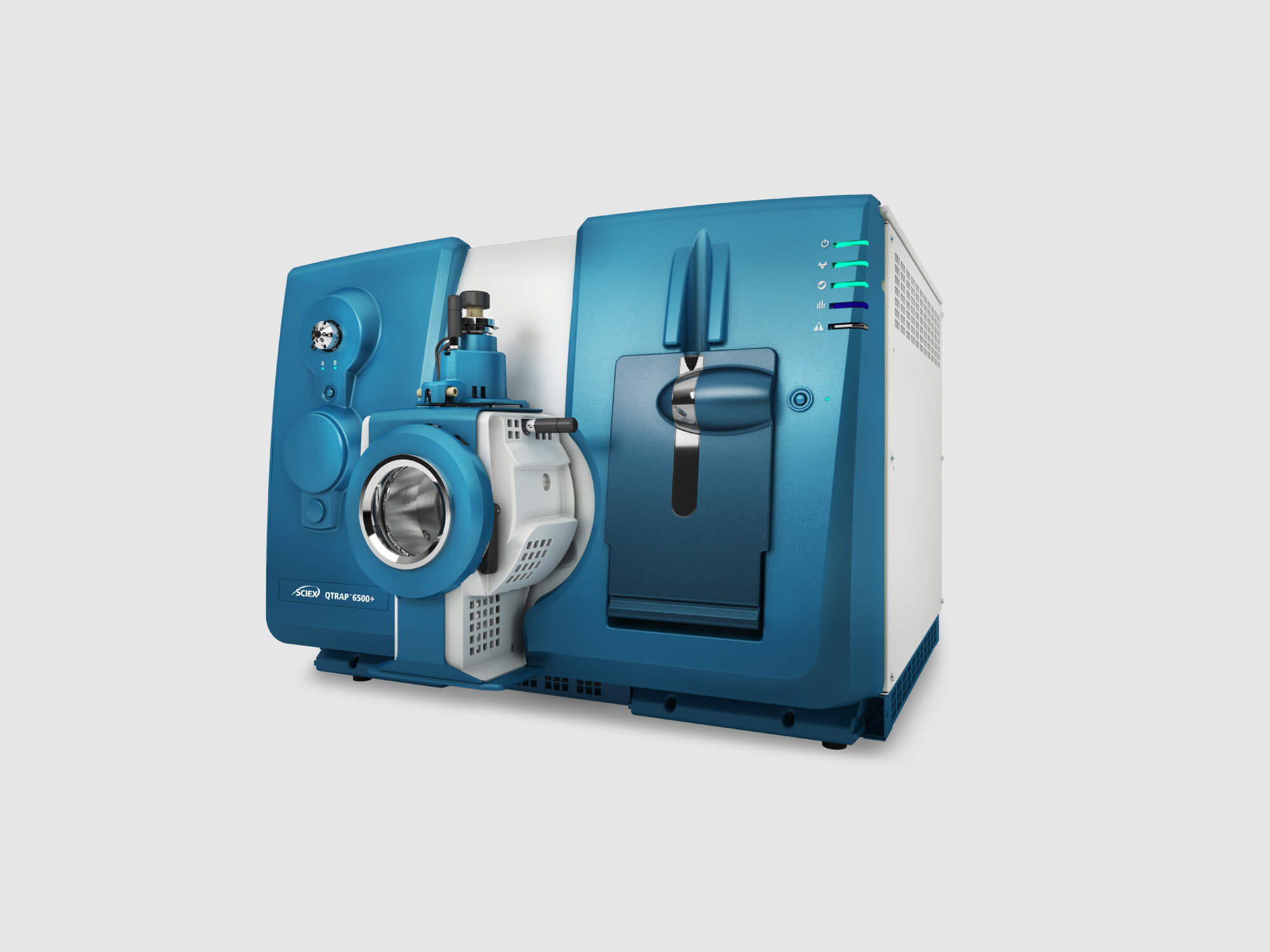
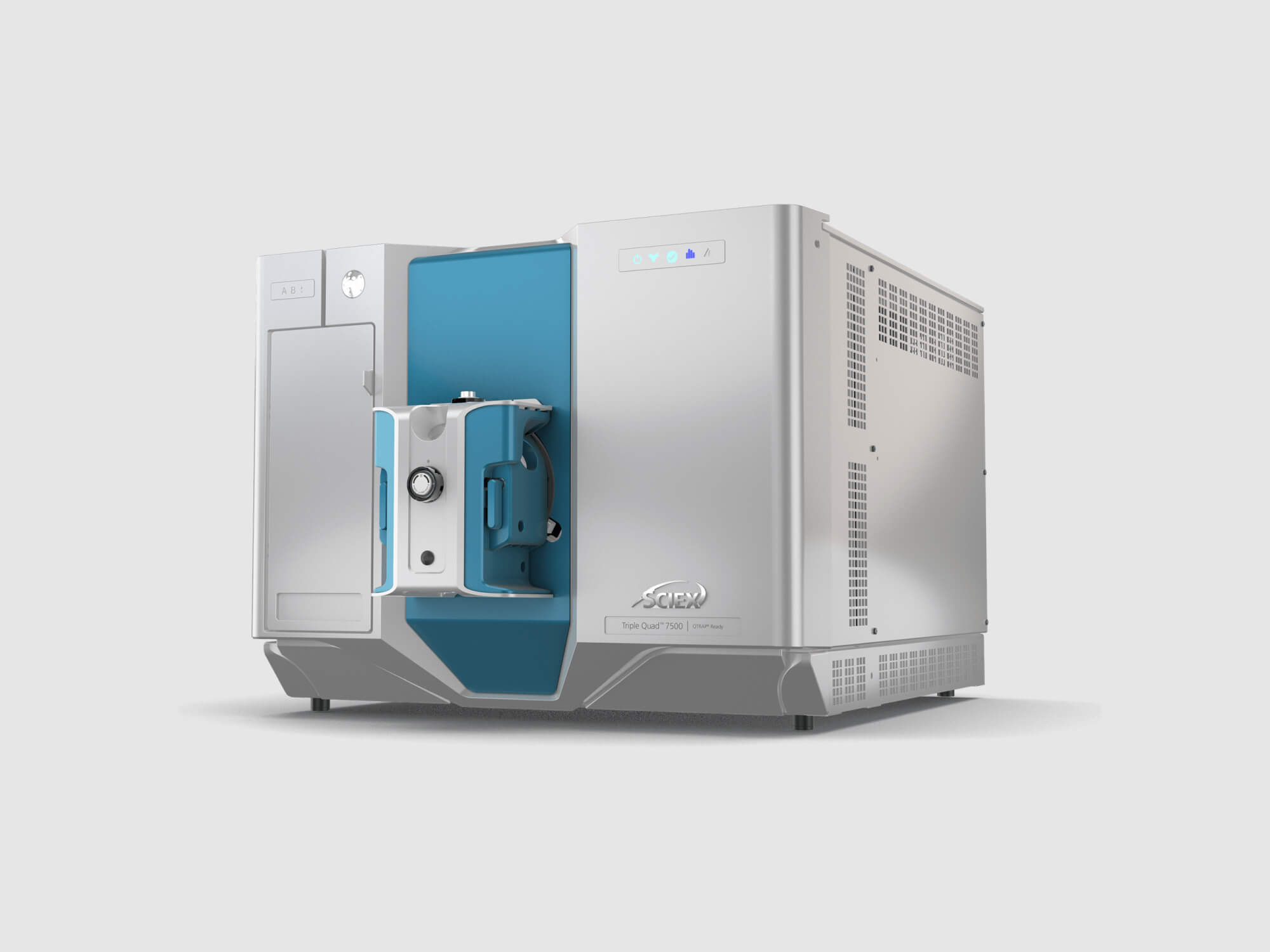
When you need to maximize throughput, the MPX™ 2.0 High Throughput System is what you need. The MPX 2.0 High Throughput System takes advantage of the downtime between injections from your LC and multiplexes two LC systems into one Mass Spec, doubling your throughput.
Automated Carryover Monitoring
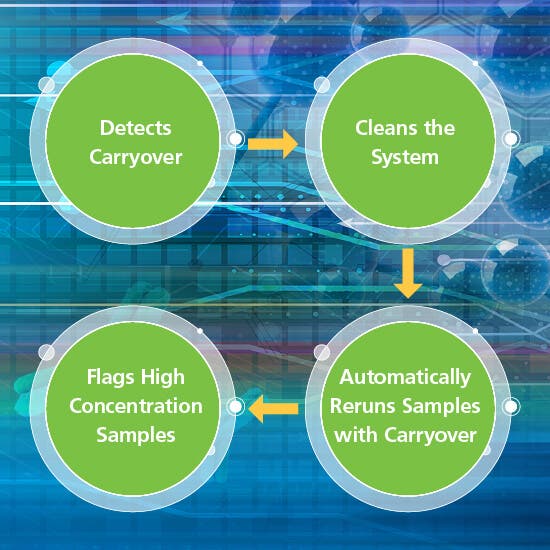
Featuring automated carryover monitoring, the MPX 2.0 High Throughput System also works to reduce carryover and highlights samples that may need retesting, decreasing your sample analysis time.
Deliver results at up to twice the speed of traditional workflows with the power of SCIEX technology.
RUO-MKT-18-7045-A
For research use only. Not for use in diagnostic procedures.
| Title | Date |
|---|---|
| MPX Carryover Detection Tutorial | 12/20/2017 |
| MPX Site Planning Guide | 12/20/2017 |
| MPX-Quick Reference Card | 12/20/2017 |
| MPX 2.0 Overview Brochure | 12/01/2017 |
Standard Biologics Characterization Executive Brief
Intact Mass Analysis Solution Guide
Peptide Mapping Solution Guide
Biotherapeutic Comparability Solution Guide
X500B Method Flyers
Intact Analysis of Antibody Drug Conjugates
Glycosylated and Deglycosylated Subunit Analysis of Antibody Drug Conjugates
Comparative Peptide Mapping Between Two Manufacturers of Trastuzumab Using the X500B QTOF System
Routine Workflow for Comparability Assessment of Protein Biopharmaceuticals
Comparative Multi-Supplier Lot Analysis of Trastuzumab Using Subunit Analysis on the X500B QTOF System
SCIEX OS Introduction Videos

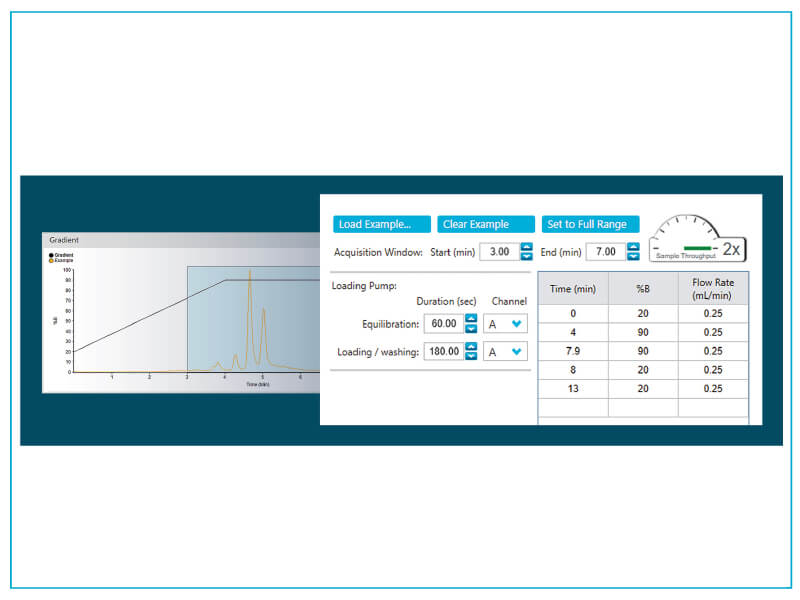
The MPX 2.0 Integrated Solution staggers injections to utilize the down time in your LC method – potentially doubling your throughput for swifter work flows. That’s almost twice the speed with half the turnaround time per sample batch.
• 100 injections, singleplex >6 hr 30 min
• 100 injections, multiplex run time, 3 hr 30 min
• Time saved: 3 hours

Dramatically reduce the amount of reinjection and reanalysis time with automated carryover monitoring. The MPX 2.0 High Throughput System detects carryover and automatically injects solvent blanks to clean the stream. Once the stream is clean, the system continues analyzing samples and automatically reinjects any samples that could have been affected by carryover. The MPX™ software also flags any high concentration samples (> Upper Level of Quantitation) so you can easily find those that need to be rerun.
There are three different ways to run samples on the MPX 2.0 High Throughput System:
1. Stagger injections from each of two HPLC systems running the same method
2. Stagger injections from two HPLC systems running two different methods
3. Run two sequential sample batches from two HPLC systems.
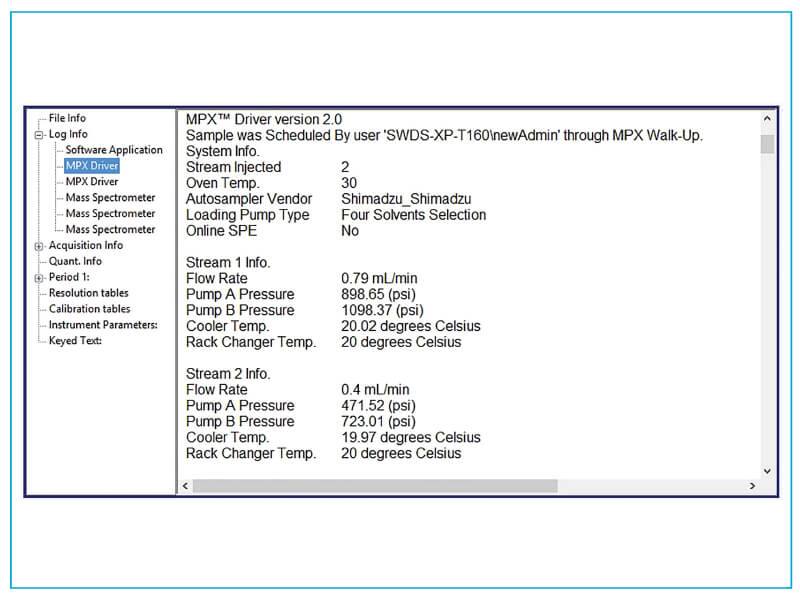
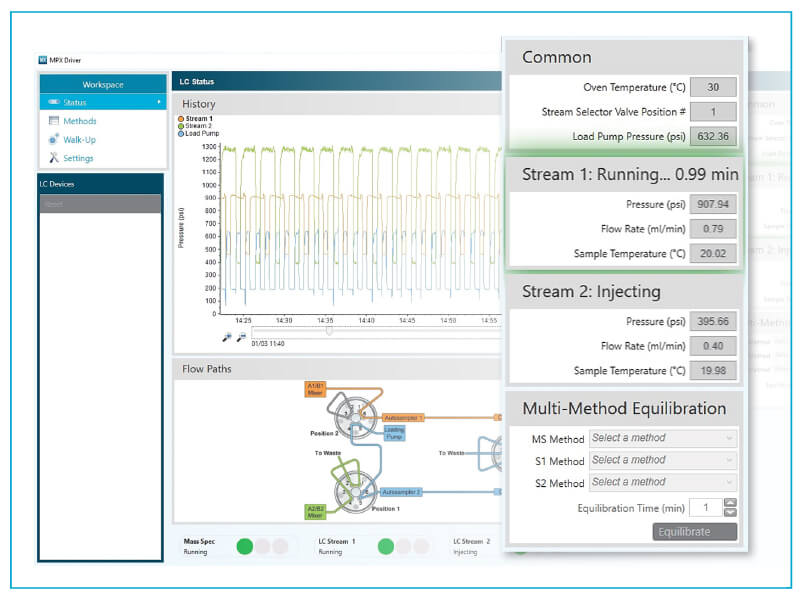
Get detailed start to finish sample tracking, including flow rate, pump pressure and temperature, right down to the LC stream.
The MPX 2.0 High Throughput System takes advantage of the 21 CFR Part 11 functionality of Analyst® software to provide audit trails and traceability, both of which are vital to regulated environments.
| Operating System | Win 7 64 bit or Win 10 |
| Analyst® Software | 1.7 |
| MultiQuant™ Software | Version 3.0.3 or higher |
| Hardware Compatibility | Shimadzu Prominence LC CTC PAL-xt CTC PAL3 RSI 850 |
A new password has been sent to your email.
You have added a user.
This serial number could not be found. Would you like to submit the case anyway?
Your password has been updated.
Your account is now created.
A verification link has been sent to your email.
A new password has been sent to your email.
Your insturment has been removed.
Your privacy settings are now updated.
Software has already been registered to another instrument. Please check your AID and try again.
If you want to change the License Key to another instrument, please submit a new case.
Software has already been registered to the instrument selected.
Please check your instrument's software by going to the Instruments page and selecting the instrument in your "My Instruments" section. Here you will see a Software tab where you can view your instrument's software information.
You can also go to the Registered Software page to view software associated with your instrument(s).
If you are not finding what you are looking for, please submit a new case.